Manual Sections
Import and Analyze
Important notice: Due to recent releases, you may find some of the contents of this online manual, including the video tutorials, to be outdated. Specifically, it's important to note that the current Mac version of PokerSnowie does not yet contain all the features, since the Hands Import and Hand Range are not yet implemented. However, our team is working on it. We are also currently in the process of updating these materials. In the meantime, you can get a more accurate description of PokerSnowie's features on the various platforms by visiting the Downloads page and try out the software.
Importing hands
PokerSnowie will analyze real money games you have played in online poker rooms by importing your hand history files.
Both cash game and tournament hands are supported. It’s important to know that even though PokerSnowie is designed to maximize strategy specifically in cash ring games, there is still a lot of value for tournament players.
28 APR, 2020
Import hands from Tournaments
Cash games and tournaments are fundamentally different, but the game is still poker. Every cash game hand is independent...
Please note that only original hand histories are supported, exported hand histories which have been processed and modified by third party tools are not supported. See a list of supported Poker rooms.
To start, click on 'Import files'. You will then be asked to select the hand history files for importing.
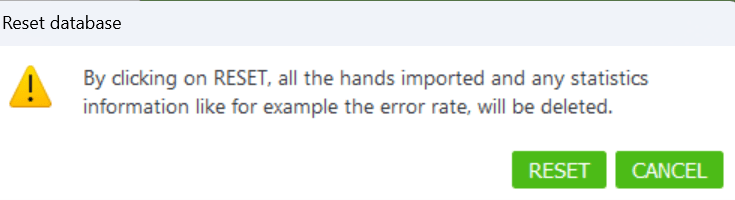
After a short time, the analysis process will be completed. You can select single, or multiple, files and view the analysis by clicking on 'View results’.
If you wish to see results for imported hands from a previous date, the ‘Analysis date’ filter allows you to select the appropriate date range.
You can delete hands from your database by checking the files you wish to remove and using the trash icon.

Hands analysis
After clicking on ‘View results’ you will be presented with the hand analysis overview page. This summary gives you a quick view of Error rate, Balance, Blunders and Profit or loss. From this overview you can drill down into detailed GTO balance, hand-by-hand, and move-by-move analysis of your imported hands.
Error rate
The error rate gives a score for how well the session was played and is designed to provide a general measure of quality of your game, it is independent of the actual outcome.
For every betting round, the error rate sums up the EV cost of all errors, divided by the number of moves played, meaning the smaller the error rate the better. For example, if you have an error rate of 2 preflop and 2 on the river, your game would be of equal quality in these two rounds. It is considered that typically the errors on the river cost much more EV (because the pot is bigger) and that you get into preflop situations more often than river situations. Consequently, this means we use different weights over the different streets.
Please note the sample size needs to be large enough to calculate an accurate error rate. Typically, we consider 5,000 to 10,000 imported hands are enough to derive a stable error rate.
Very strong high stakes players have an error rate of around 7 in ring games and 5 in heads-up games. Less experienced players and beginners often have an error rate of over 20.
Blunders
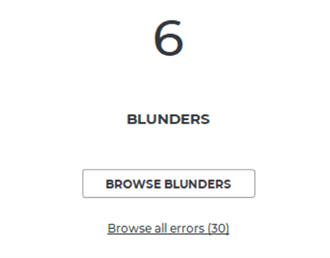
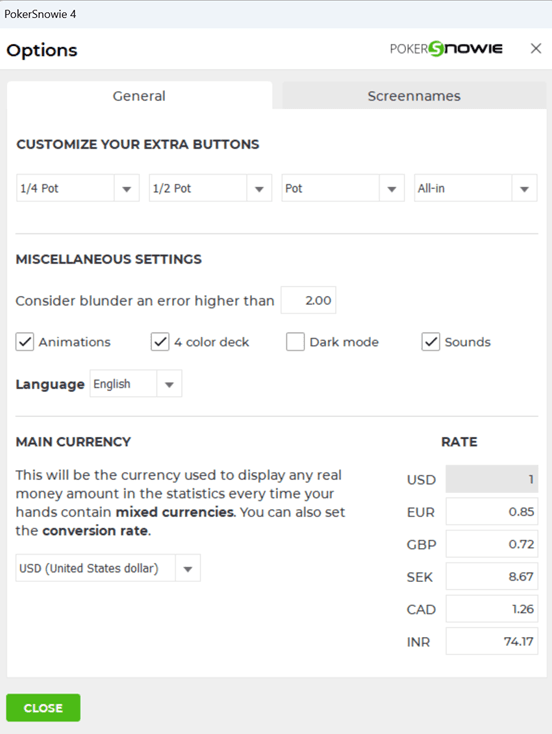
A blunder is a costly error. By default, the threshold for a blunder is set to an EV loss of 2.0 big blinds. However, this threshold can be adjusted from within the miscellaneous settings in the options menu. The link 'Browse blunders' lets you conveniently browse through all big errors, so that you can efficiently learn to avoid your biggest mistakes.