Manual Sections
Pre-flop Table
Important notice: Due to recent releases, you may find some of the contents of this online manual, including the video tutorials, to be outdated. Specifically, it's important to note that the current Mac version of PokerSnowie does not yet contain all the features, since the Hands Import and Hand Range are not yet implemented. However, our team is working on it. We are also currently in the process of updating these materials. In the meantime, you can get a more accurate description of PokerSnowie's features on the various platforms by visiting the Downloads page and try out the software.
Pre-flop Advice Table
The preflop advice table is a great tool to visualize PokerSnowie's preflop strategy in one glance. Preflop advice is available during Hand Analysis and Scenarios.
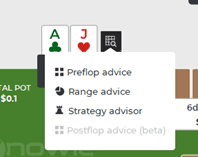
You can access the Preflop Advice Table, when it's the player's turn to act, by clicking on the grid icon next to the player cards.
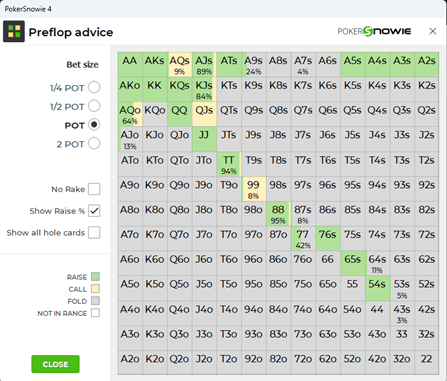
The table displays one field for each of the 169 different hole card combinations: the diagonal covers the pocket pairs, the upper right triangle the suited cards, and the lower left triangle the off-suited cards.
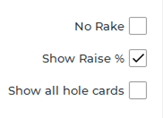
The colour code indicates the advised action, green for raise, yellow for call, and white for fold. If a percentage number is displayed in the field, this represents the percentage of times this hand should be raised. In this situation, the colour codes will also visually represent the raise percentage. You can turn off the raise percentage feature at any time using the ‘Show Raise %’ checkbox.
It is possible that some hole card combinations are not in the preflop range. For example, if you have previously raised and it is your turn again, you would not be holding 72o, because you would have folded it already and therefore those fields are greyed out.
However, it is still possible to see how PokerSnowie would continue with these out-of-range combinations, by checking the option 'Show all hole cards'.
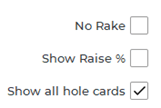
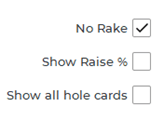
If you prefer to view the preflop advice without considering the effects of rake, this is possible by checking the option ‘No Rake’.
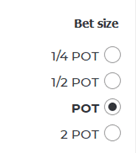
The bet size selector will automatically default to PokerSnowie’s recommended optimal pot size. You can change this default by clicking on the buttons '1/4 POT', '1/2 POT', 'POT' and '2 POT' to switch between bet sizes and see the alternative tables.